
Maricopa County Court Record Requests
Start by matching the case to the right court. The Clerk of the Superior Court in Maricopa County keeps Superior Court files. Those include felony, general civil, family, probate, juvenile, tax, and other matters. A Justice Court clerk holds that precinct's records. Think traffic, misdemeanor, eviction, small-claims, protective-order, and limited civil cases. Each Municipal Court keeps its own city matters. Even with the correct case number in hand, a request sent to the wrong clerk can stall. The wrong office simply cannot pull the file.
The free Maricopa Superior Court Docket is where you start. Use it to identify the case and the exact entry. It returns case information, docket entries, minute entries, and calendars. What it does not return are document images or copies. Arizona Public Access helps locate a case across participating courts. For an eligible Superior Court civil or criminal image, eAccess is the document channel. After that come other options. Try the public terminal, the clerk counter, an online request, mail delivery arranged through the clerk, or a phone call to find the right office.
- Identify the court and copy the full case number, including its CR, CV, FC, or PB prefix.
- Read the free docket and note the precise document title and filing date.
- Check eAccess for an eligible open civil or criminal image filed in its coverage period.
- If the image is absent, use a Clerk public terminal or submit a focused online, counter, or delivery request.
- State whether the copy may be plain or must carry the Clerk's certification.
Three Maricopa Court Record Layers
Three layers sit inside Maricopa court records, and they are not interchangeable. The docket is the free chronological index. A line may say a complaint, motion, minute entry, order, or judgment was filed. The image is the actual paper or electronic document behind that line. Certification goes one step further. It is the Clerk's formal confirmation that a copy comes straight from the official file.
| Record layer | What it supplies | Common channel |
|---|---|---|
| Docket or case information | Dates, event titles, status, parties, assignment, and settings | Free local Docket |
| Filed document | The text and image of a pleading, order, minute entry, or judgment | eAccess or the Clerk |
| Certified copy | A Clerk-produced copy with official certification | Clerk request or eligible eAccess certification |
A printout from a government portal still has research value. But an official source does not, by itself, make it a certified record. When the exact order matters, name it through the docket first, then request the filed image or certification from the office that holds the file.
Kinds of Court Records
Maricopa County court records span many case types, and each case can hold many documents. A Superior Court file might include civil complaints, criminal charging papers, family petitions, probate filings, minute entries, signed orders, judgments, notices, motions, and responses. What is public depends on the case category and the access rule that applies. Justice and Municipal files hold citations, limited civil pleadings, eviction papers, local misdemeanor entries, hearing records, and dispositions.
- Case information and chronological docket entries
- Pleadings such as complaints, petitions, answers, motions, and replies
- Minute entries, signed orders, judgments, and dismissal records
- Public exhibits and attachments when remote or counter access is allowed
- Certified copies produced by the clerk of the court that owns the file
Audio and transcripts take a different route. A transcript comes through the assigned judge's court reporter, who supplies an estimate and rate. The Clerk records unit does not fulfill transcript requests. Ask for the right product before paying for a broad file.
Note: A Justice or Municipal Court record stays with that limited-jurisdiction court, even when a later appeal creates Superior Court entries.
Maricopa Court Records in eAccess
Arizona eAccess is a paid document service, not the filing system and not the free Maricopa docket. It serves open Superior Court civil and criminal documents filed from July 1, 2010 forward. Registration is required. Searches can run on a case number or party name. The court selector narrows results to Maricopa Superior Court. Document rows show a type or title, a filed date, and a purchase action.
Older and unusual files are where the limits show. eAccess does not promise every document, case type, sealed image, or pre-coverage record. When a result is missing, return to the Clerk. The local docket may still list the event. A public terminal may expose an open image. A scoped request can reach retained off-site material. Archived files can take longer. Response time depends on the request's detail, volume, staffing, and storage location.
The Arizona Code of Judicial Administration index lays out the state framework. It covers remote access, privacy, retention, and electronic filing across Arizona courts.
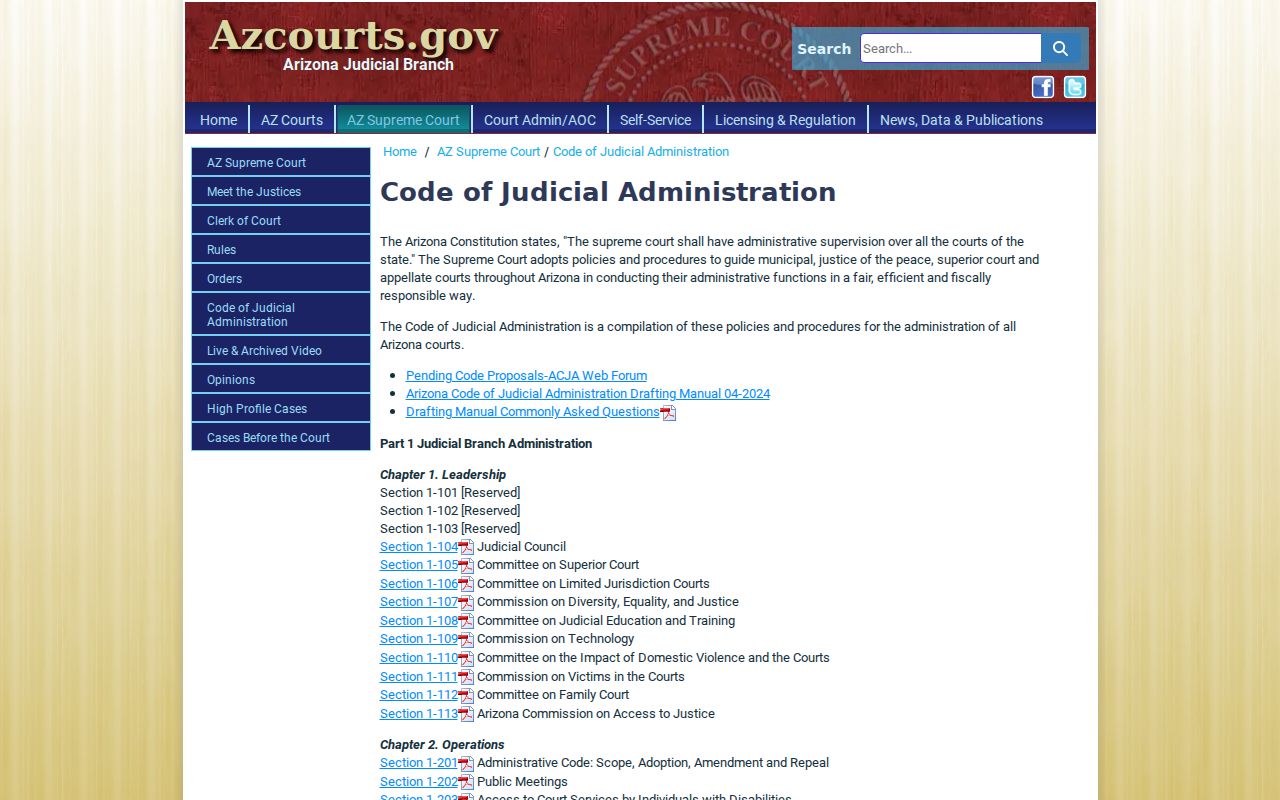
Remote access is one tier, not the whole record system. When the web display stops at a generic entry, a courthouse terminal or a direct request to the clerk may be the proper route.
Court Records: What They Contain
Every Maricopa County case file is organized around a unique case number and the papers accepted or created in that matter. Criminal numbers commonly use CR. Civil uses CV, family uses FC, and probate uses PB. A filing year and sequence follow the letters. The docket ties each paper to a date and an event. A minute entry often gives a fuller account of a ruling, setting, or reassignment than the brief docket label alone.
| Case Number | A full local identifier such as CV-year-sequence or CR-year-sequence, used to route the request. |
|---|---|
| Case Header | Case type, filing date, public status, caption, party roles, and current judicial assignment. |
| Pleadings | Complaints, petitions, answers, motions, responses, replies, and notices that form the case record. |
| Orders and Judgments | Minute entries, signed rulings, judgments, dismissal papers, and later enforcement or appeal documents. |
| Docket History | Dated filing and event labels, settings, dispositions, and links or references to available images. |
| Restricted Material | Protected content may be withheld, redacted, or represented by a generic public entry. |
Read claims as claims until the court rules. A filed complaint is not a finding. So pair each motion with its response and the later order, check whether a setting was vacated or reset, and tell a proposed form from a signed judgment. That sequence keeps the whole file in context.
Maricopa Court Records at Terminals
Need the actual page behind a docket entry? The Clerk's public-access terminals, available at Clerk locations, let you inspect most open records electronically. The free web docket sometimes names a document but shows no image. That gap is exactly what the terminals fill. Staff at the counter can then produce a copy. It can be plain or certified, and it covers whatever you spotted on screen.
For bigger record requests, the Clerk's copy channels work best when you come prepared. List the full case number, the party or caption, the document's exact title, and its filing date. Include the copy type, how you want delivery, and your contact information. A date range helps when a case holds many filings. One precise order, such as a single judgment, is cheaper. It is also faster to quote than a broad sweep of records.
Clerk of the Superior Court
Central Court Building
201 W. Jefferson Street
Phoenix, AZ 85003
602-506-3204
Call ahead to confirm the right building and the current public hours. The downtown campus spreads across several buildings, so where you get service depends on the department holding the file.
Copy Fees and Certification
The Clerk charges a set fee per page for plain copies. Certification adds a separate charge per document. It is worth it in one situation. A recipient may need formal proof drawn from the official court file. For many tasks, though, skip it. Reading the free docket is often enough. So is a terminal copy, when you want to trace a case history or spot a filing.
| Item | Official charge |
|---|---|
| Inspect the free online docket | $0 |
| Inspect on a Clerk public computer | $0, with printing or copy charges separate |
| Plain Clerk copy | $0.50 per page |
| Clerk certification | $35 per document, added to copy cost |
| eAccess document or electronic certification | Current amount shown before purchase |
At the counter, pay with cash, a debit or credit card, or a money order. The Clerk takes no personal checks. Under Rule 123, a noncommercial requester generally avoids search and redaction labor charges unless some statute says otherwise, though reproduction costs still apply. Commercial requests carry added declarations and actual-cost rules.
Exact Maricopa Court Record Orders
Ordering an entire case can bury the one page you need. Let the docket do the work first. Find the filed date and exact title of the judgment, minute entry, order, or pleading. Then name that item in the request. Less retrieval labor, fewer mix-ups among similarly titled documents.
Off-site storage raises the stakes. Rule 123 gives the Clerk a reasonable response period that scales with scope and storage. Always keep the court name attached. A Superior Court judgment stays with the Superior Court Clerk. A disposition from a Chandler, Mesa, Phoenix, Gilbert, Glendale, or Justice Court belongs to that court's own clerk.
Best request: Give the full case number, exact docket title, filing date, and plain-or-certified choice. Do not ask for an entire file when one order will do.
Maricopa Records Before eAccess
Maricopa court records did not start with the internet. Paper docket books and microfilm came first. Then arrived the iCIS case-management system, local docket tools, statewide discovery, and paid document access. So the newest service is not a full archive. eAccess states that its civil and criminal document coverage begins in mid-2010. Anything older that survives sits with the Clerk as a public file.
A missing online image does not mean no record exists. Check the free docket for the event. Confirm the court and the case number. Ask the Clerk whether the paper is stored off-site. Then request only the page you need. For anything official, trust the filed-stamped original or a certified copy. Do not rely on an informal picture of the entry. The broader Maricopa County docket search can pin down the case before you order.
Note: Local docket audit work can change an entry for up to 24 hours. So confirm recent filings before requesting a copy.
Access Rules for Court Records
Court rules govern access to Arizona judicial records. What you can see remotely is often narrower. In person, the courthouse may let you inspect more. Sealed cases, juvenile delinquency matters, and protection orders may be excluded, redacted, or restricted. The same goes for victim or witness data, adoption records, and protected identifiers. For those specialized categories, the official Probate and Mental Health Department provides the proper local route. A public docket may still acknowledge a restricted filing with a generic title. The contents stay hidden, though.
Key Rules:
Arizona Supreme Court Rule 123 sets access to judicial records and permits limits for privacy, confidentiality, and security.
ACJA sections 1-604 and 3-403 govern remote access and protection of personal information.
A.R.S. section 12-119.01 supplies the process and effect for sealing eligible criminal case records.
A.R.S. section 8-208 limits access to juvenile court and related agency records.
A missing case does not mean a dead end. Confirm the court and the case number first. Ask the clerk whether that category is blocked from remote display, and what proof or order unlocks authorized access. Open Maricopa County court records serve as civic reference material, while the clerk's office supplies the copy that counts.