
Maricopa County Docket Search Layers
Maricopa County searches actually cross several systems that never merge. The local docket tracks Superior Court history. Justice Courts and Municipal Courts hold the lower-court files. For discovery across courts, Arizona Public Access surfaces eligible Maricopa County cases, while eAccess sells images of some Superior Court documents. For anything official, the Maricopa County clerk supplies the copy that counts. Keeping the layers straight keeps a free result from masquerading as the whole file.
Timing differs too. Local docket auditing can revise a recent entry for up to 24 hours. The statewide Public Access layer updates weekly. A clerk request reaches the retained official file directly. Pick the layer that fits your purpose, and verify anything time-sensitive with the court that owns the case.
Maricopa County CAPTCHA Search Problems
The statewide verification word can stop a Maricopa County search before any case fields load. Type the randomized word and click Submit. The official instructions warn that pressing Enter may fail. Once the search opens, enter the exact case number or run a careful party search, applying a court filter where it helps.
A failed CAPTCHA is not a no-result search. Refresh the control and try again. If the portal stays down, fall back on the local Maricopa docket or call the court of record, rather than reading a technical glitch as news about a case.
Name-Based Case Searches
The free Maricopa Superior Court Docket splits its searches into Civil, Criminal, Family, and Probate. A name query works well when the case number is unknown. But a similar name proves nothing. Weigh the court, the filing year, the case type, the party role, and other public fields before calling a record a match.
- Identify the likely court from the type of matter and the issuing agency.
- Choose the matching Superior Court category or the proper Justice or Municipal Court tool.
- Enter the last name and then the first name. Check spelling variants when needed.
- Compare results by filing year, court, case type, and party role.
- Open the case view and read the latest docket and minute entries.
- Use the clerk, public terminal, or records request when the online result stops short.
| Field Label | Type | Required | Notes |
|---|---|---|---|
| Case category | Tab or link | Yes | Civil, Criminal, Family, or Probate |
| Last Name | Text | Conditional | Spelling variants can change results |
| First Name | Text | Conditional | Narrows a surname search |
| Date of Birth | Date or text | Conditional | May be available for criminal identification |
| Search or Reset | Button | No | Runs or clears the query |
When a known case fails to appear, confirm the court and re-enter the exact case number before cycling through name spellings. A restricted category, the weekly state update, or a limited municipal tool can all explain the gap. The right clerk remains the final fallback for any case lookup.
Maricopa Docket Searches Start With Court
Court identity comes first. A felony, divorce, probate estate, or major civil action belongs to the Superior Court of Arizona in Maricopa County. An eviction, small claim, county traffic citation, protective order, or qualifying misdemeanor may sit in one of the county's 26 Justice Courts. A city police citation or city-code charge normally stays in that city's Municipal Court. Each lower court keeps its own file.
This court-first habit prevents the most common false negative. The statewide system does not carry all local ordinance charges, and not every participating court supplies every case. Where a Municipal Court tool covers only payments or disposed cases, ask that court's clerk about the active docket. The Justice Court locations directory lists the precinct courts and how to reach them.
Case Number Searches
A full case number is the strongest key for any Maricopa docket search. Superior Court prefixes mark the category: CR for criminal, CV for civil, FC for family, and PB for probate. After the prefix comes a four-digit filing year, then the sequence. Enter the number exactly as issued, with the category code intact.
The number also routes the search. It can narrow local Docket results. It also narrows the Superior Court calendar, statewide Public Access, and eAccess document results. Municipal citation, complaint, contract, and case formats vary by city. Follow each court's own instructions for city numbers.
- CR
- Superior Court criminal case category.
- CV
- Superior Court civil case category.
- FC
- Superior Court family case category.
- PB
- Superior Court probate case category.
Inside the Maricopa Docket Search
The local Maricopa County docket search returns case information, docket entries, minute entries, and calendar links. Filed document images are not part of it. An entry may confirm that a motion, order, or judgment exists, but the document itself must come through eAccess or the Clerk. Docket access costs nothing.
Note the portal's quirks. A maintenance window runs from 3 to 4 a.m., Tuesday through Saturday. Audit work can alter recent entries for up to 24 hours afterward. Recheck any new or changed event after that window closes, especially when it clashes with a signed notice or an instruction from the judicial division. The official local case search shows the live portal itself.
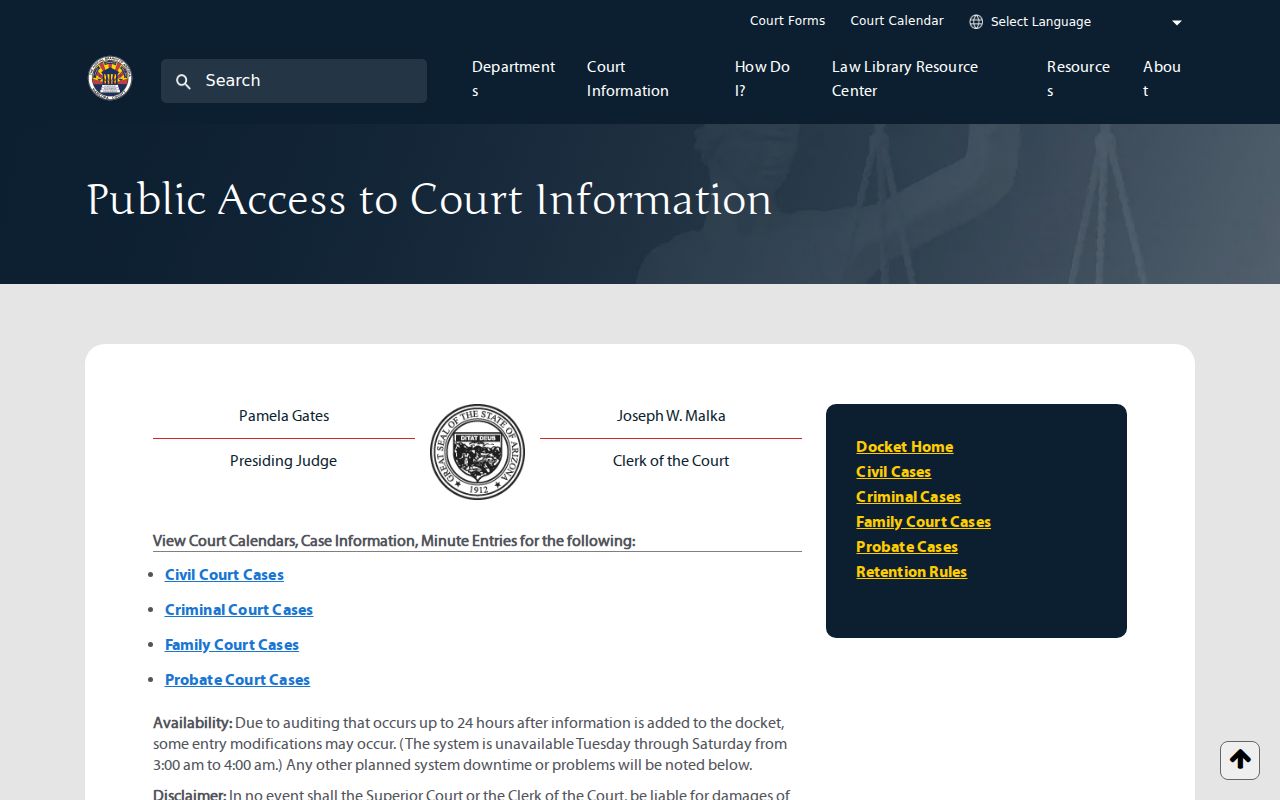
The category and identifier controls fit the portal's focus on Superior Court case history. This is not a single countywide database.
Case Search Results Explained
A public case result opens with a case header. It then links people, court assignments, events, and settings. The chronological list matters most. A status label only summarizes the case. Later minute entries reveal what the court actually ordered. A filed event never proves the request inside it was granted.
| Case Number | Category prefix, filing year, and sequence for the court file. |
|---|---|
| Caption and Parties | The case title and public party roles. |
| Case Type | Criminal, civil, family, probate, or another public category. |
| Filed Date and Status | When the file opened and its current public status. |
| Judicial Assignment | The judge, commissioner, calendar, or division now responsible. |
| Docket and Minute Entries | Dated filings, events, and judicial orders in sequence. |
| Scheduled Events | Future settings, subject to later reset or vacate orders. |
| Document Action | An eAccess availability or purchase option where an open image exists. |
A docket result shows what public rules allow. Charge or cause details and disposition may appear where the record is public. Victim, witness, and protected personal data stay filtered, and a generic entry can stand in for a restricted document without exposing its title or contents.
Maricopa Docket Search and eAccess
Arizona eAccess sells documents. It is not the free docket of case history, and it does not handle e-filing. Coverage runs across open Superior Court civil and criminal documents filed from July 1, 2010 forward. You need an account to buy. The official case and party search guide walks through the search and purchase flow, and the service itself shows the charges for available documents and electronic certification.
The eAccess application presents the search and purchase screens.
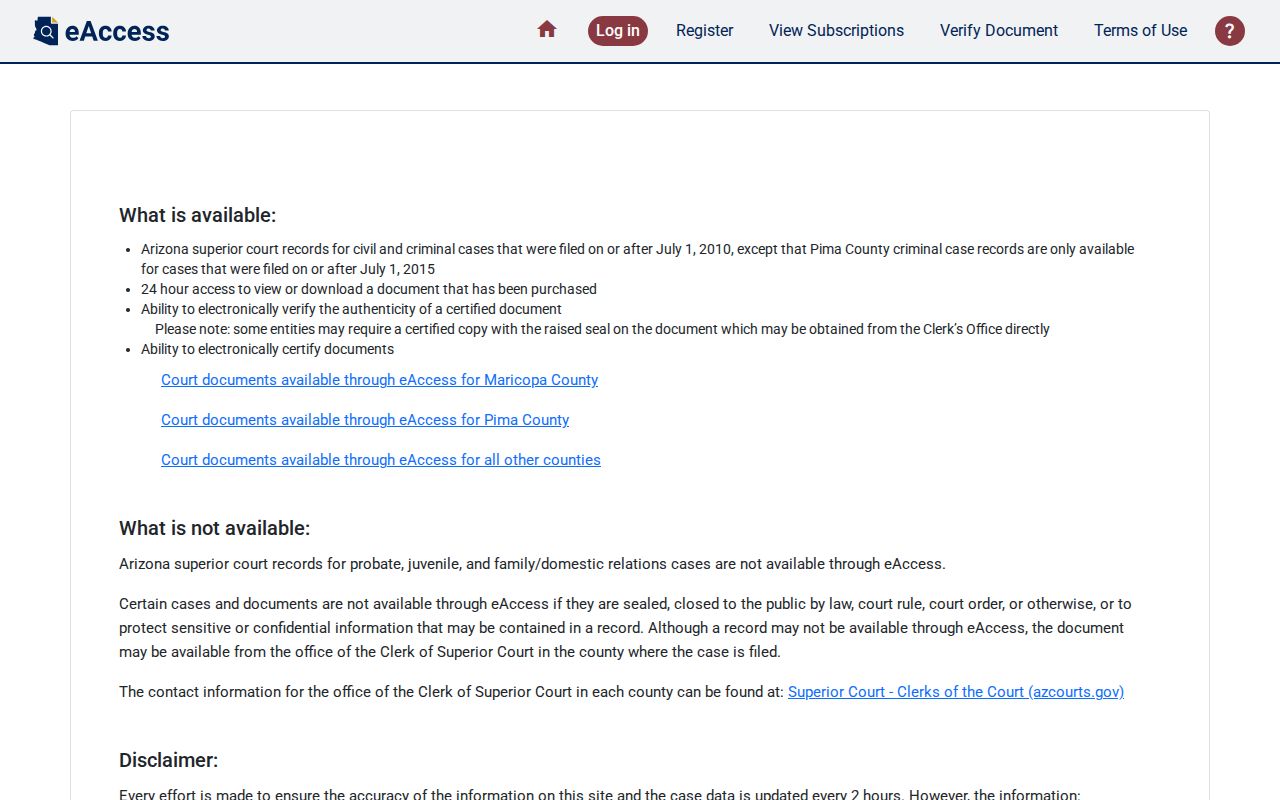
Its Case and Party Search takes a case number or name, a court selection, and advanced criteria. The state eAccess overview explains where the service stops.
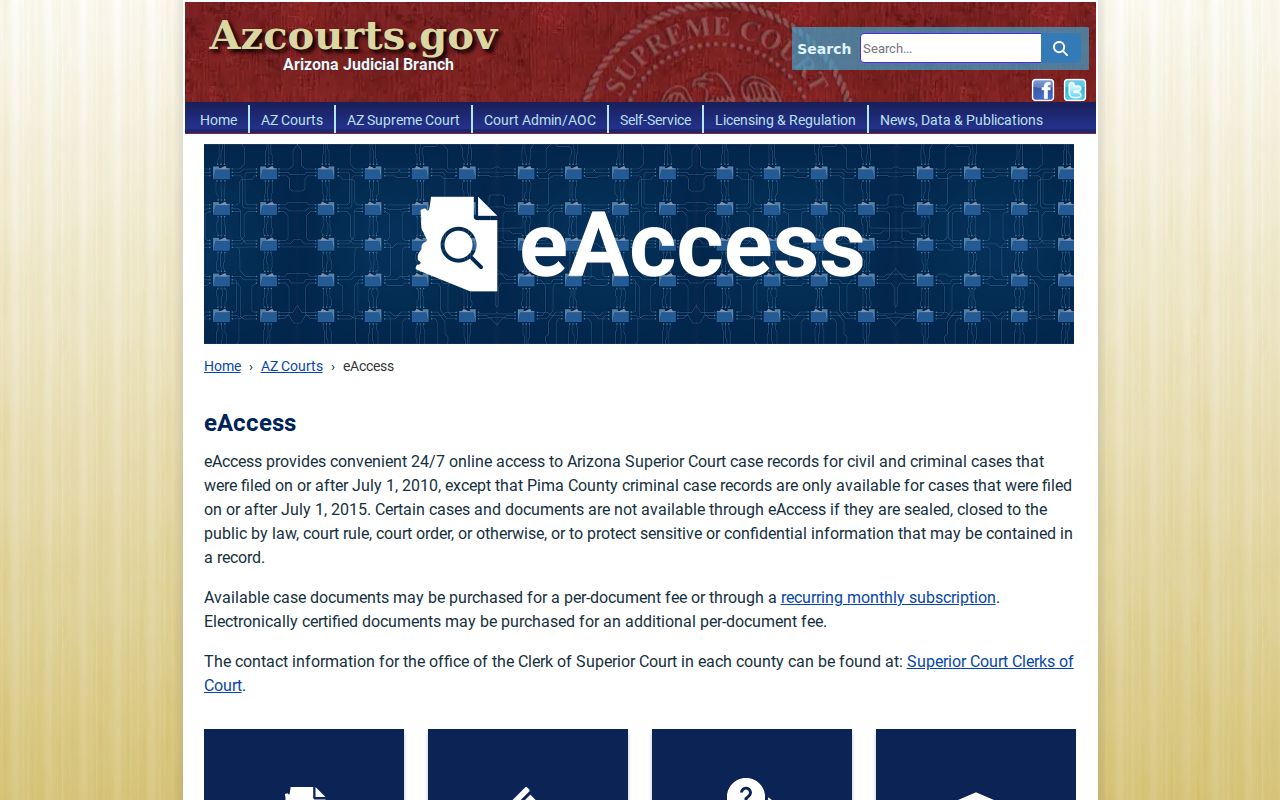
Free docket, paid image, certified copy: three layers, not one.
Two Ways to Search: County and State
Two searches answer different questions. The Maricopa County local docket gives detailed Superior Court history and recent docket activity. For finding eligible matters across participating Superior, Justice, and Municipal Courts, use statewide Arizona Judicial Branch Public Access. The statewide data refreshes on Friday for information through Wednesday. It is not the official court record.
| Feature | Arizona Public Access | Maricopa Local Docket |
|---|---|---|
| Coverage | Participating Arizona courts | Maricopa Superior Court categories |
| Refresh | Weekly | Local entries, with up to 24-hour audit changes |
| Search | CAPTCHA, number or party, court filters | Category, number, name, and conditional details |
| Depth | Discovery and general case fields | Docket entries, minute entries, and local calendars |
| Best use | Finding the likely court | Following a known Superior Court case |
Neither search replaces a clerk-certified record. If an eligible lower-court case shows up statewide, contact the originating Justice or Municipal Court for its official file.
Maricopa Statewide Results Update Weekly
A brand-new Maricopa County case may not appear right away. The delay is built in: Public Access refreshes each Friday with information through Wednesday. For newer activity, check the local court's own docket or the clerk. One more quirk: pressing Enter can break the randomized verification step. If the CAPTCHA seems dead, use the displayed Submit control instead.
Statewide search works by case number or party name. Fields for court, county, and case type appear where offered. So does a conditional birth-date field. It reports participation by 177 of 184 courts. Even so, participation does not mean every case from a court is included. Some cases stay out.
No statewide result? Check the local court before concluding the case is absent. Weekly timing, exclusions, and incomplete participation all can affect the result.
Which Cases Stay Restricted
Statewide Public Access leaves plenty out. Sealed cases are excluded. Orders of protection are excluded. So are mental-health and probate cases, victim and witness data, juvenile incorrigible or delinquency cases, and local-ordinance charges. The Maricopa local Probate path may show a different public subset. eAccess withholds sealed or restricted images too. Remote access can be narrower than what an authorized requester gets at the courthouse.
Arizona Supreme Court Rule 123 governs public access to judicial records. ACJA rules address remote access and protection of personal data. Anyone authorized to seek restricted material should contact the holding court. Ask what proof, order, or request process it requires.
A restricted event may still leave a generic public docket entry. Its image and identifying title stay closed. That practice protects confidential content without implying that no filing occurred.
Maricopa Missing-Record Fallback Chain
A no-result search deserves a careful fallback, not a guess. First confirm the court and the full case number. Then try the local court portal and statewide Public Access. If a hearing date is the real goal, check the calendar. From there, call the division or court clerk. Inspect an open record at a public terminal. Or submit a scoped records request.
When the free web docket lists an event but no image, a Clerk public-access computer can help. It provides electronic inspection. Counter staff can also route a request for a plain or certified copy. Mail and online channels work well. Use them when you can state the exact case number, filing date, and document title. Use the telephone to find the right division. Or the right counter. It is no substitute for the written court record. Each channel carries the request from discovery to verification.
For Superior Court, call the Clerk's Information Center at 602-506-3204. The Clerk provides public-access computers, counter service, and an online records-request channel. Requests should identify the case number, party, document, filing date, and desired copy type. Justice and Municipal Court records must be requested from those courts directly.
The official eAccess information page lays out account, purchase, and certification choices.
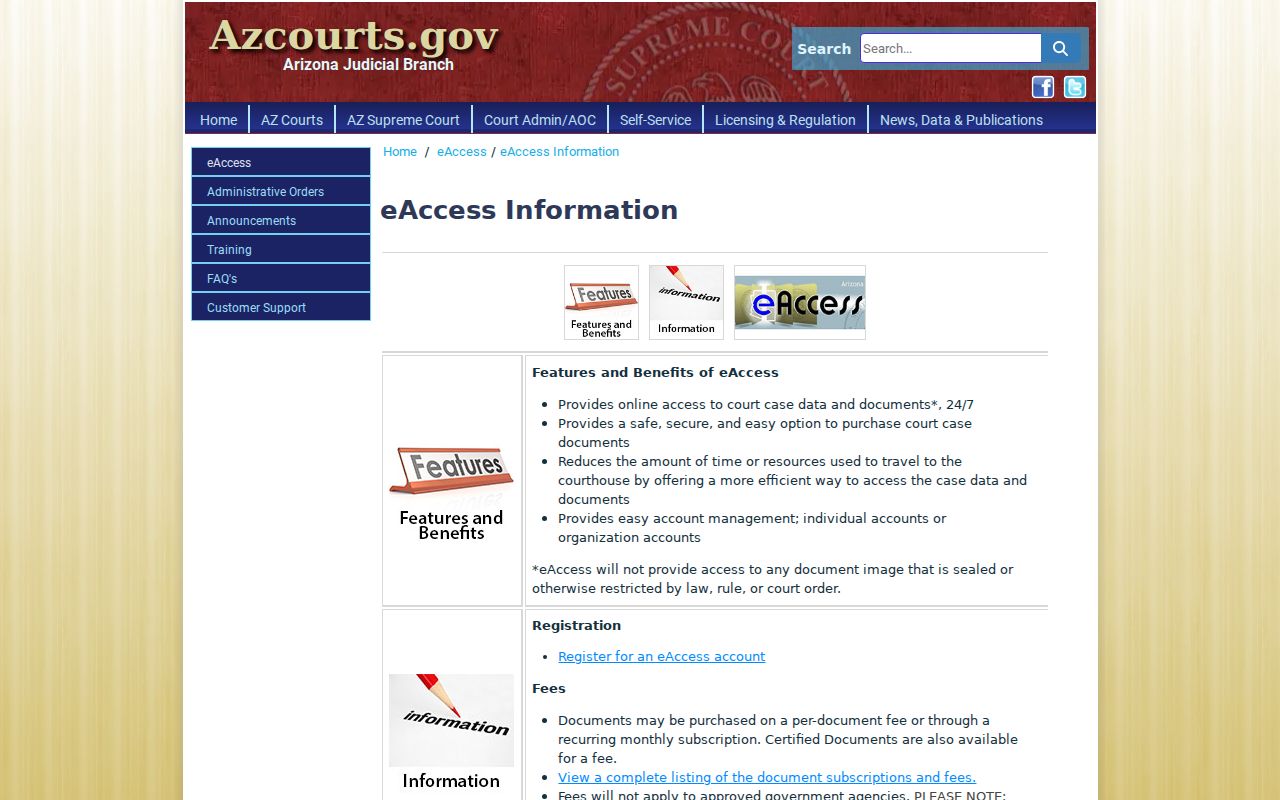
Use that paid document channel only after the case is found. Older, missing, or official copies still route to the Clerk.
Maricopa County eAccess Advanced Search
eAccess accepts full or partial case numbers and party names. Choosing Maricopa Superior Court narrows the results, while All Courts keeps the search broad. Advanced Search exposes AND, OR, and NOT controls. AND requires the populated terms to occur together. OR accepts either term. NOT excludes the chosen term.
These controls help separate similar captions, but they do not override restrictions. A sealed image stays closed. An older file may sit outside eAccess entirely. Once the right result appears, inspect the document title and filed date before adding an available image to the purchase cart.