
Mesa Court Records Follow the Issuing Court
Check the top of your ticket or notice first. That source line tells you where the case lives. Mesa Municipal Court keeps city cases. A Maricopa County Justice Court holds county limited-jurisdiction matters. Superior Court keeps the felony and general-jurisdiction files. A Mesa mailing address by itself never places a case in the city docket.
When a search comes up empty, compare the issuing agency, the case type, and the court name. Do that before jumping to a different system. This habit stops you from running a city ticket search on a county case. It also protects the correct route to official copies, because each clerk can certify only the records its own court maintains.
Mesa Court Docket Searches
Mesa eCourt is the first online stop for a Mesa Municipal Court matter. It offers Search for Ticket, Pay Your Ticket, Check a Court Date, Disposition Report, and Court Forms. Each tool handles a different job. A payment screen is not a full Mesa court record. A disposition report centers on historical case information.
- Read the citation or notice and confirm that Mesa Municipal Court is named.
- Choose the eCourt tool that matches the goal: ticket, date, disposition, payment, or form.
- Enter the exact name, case, complaint, parking notice, or report details required by that search.
- Review the Mesa result for charge, status, setting, or disposition without assuming a payment result is the full docket.
- Use the calendar or Mesa court staff to confirm a setting before appearing.
- If the matter is not municipal, search the Maricopa County court that holds the file.
Work the fallback chain in order. Try eCourt, then the separate Mesa calendar or disposition tool, then Municipal Court phone, email, or counter service, and finally a Rule 123 records request. A statewide Public Access query can help locate eligible state-law cases. City records, though, stay with Mesa.
Mesa eCourt’s Five Search Identifiers
Mesa eCourt accepts more than a plain name. Party-name searches need both first and last name, while date of birth is optional and uses MM/DD/YYYY. A Mesa case number runs seven to ten digits. Complaint and parking searches pair the number with an offense date, and Report Number offers one more route in.
| Mesa Search | Required Input | Format Note |
|---|---|---|
| Name | First and last name | Date of birth is optional |
| Case Number | Case identifier | Seven to ten digits |
| Complaint | Complaint number and offense date | Six to seven digits; keep a leading zero |
| Parking Notice | Notice number and offense date | Five to seven digits; keep a leading zero |
| Report Number | Report identifier | Use the value shown on the Mesa record |
Five routes exist, so the source document matters. Search by the label Mesa used. Never drop a complaint number into the case-number box just because both look numeric.
The official Mesa eCourt interface presents the court's search options.
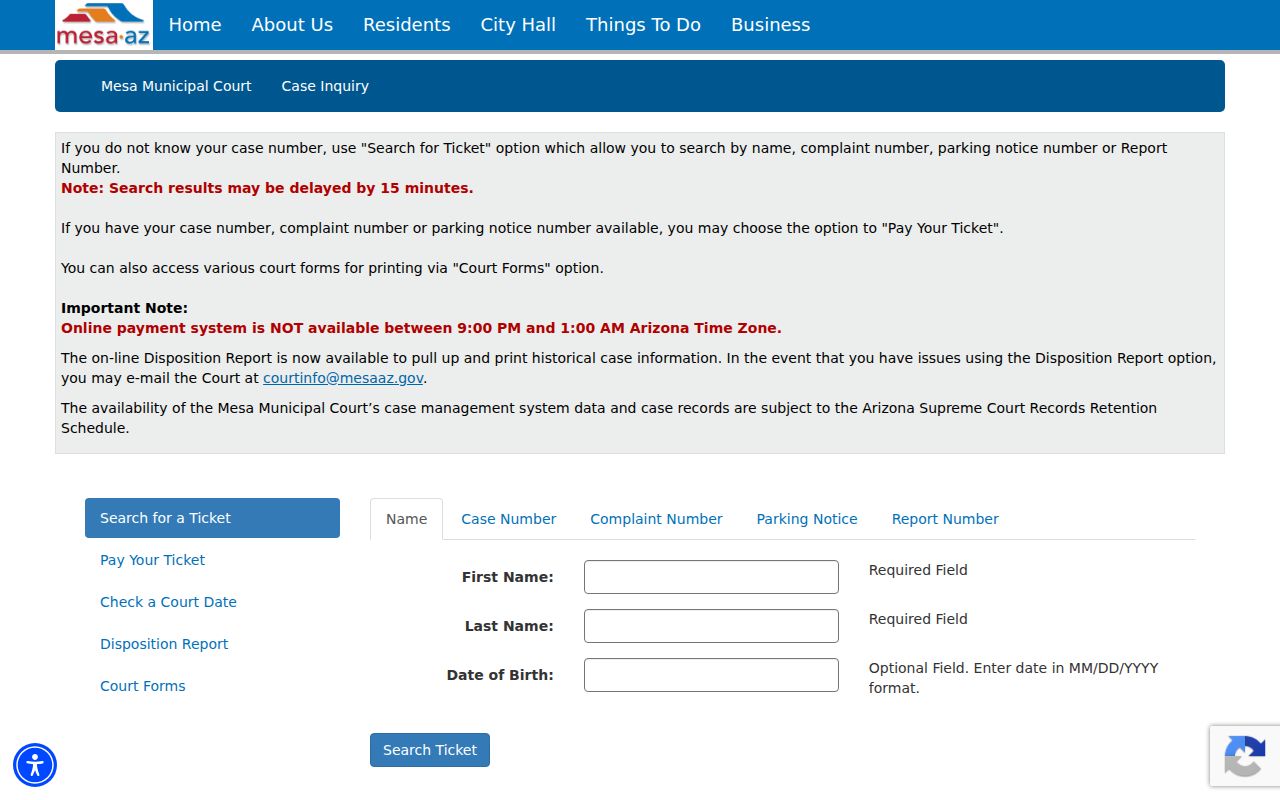
The separate task links on that page show the point clearly. A Mesa ticket lookup, court-date check, and disposition report are not one identical search.
Inside the Mesa Municipal Court
Mesa Municipal Court hears traffic, parking, misdemeanor, and city matters. It keeps the official Mesa docket for those cases along with the city's access channels. Felonies never start there. General civil, family, probate, and other Superior Court matters also sit outside the Mesa Municipal Court file.
The official Mesa Municipal Court page supplies current court contact and service details. Contact the court when an eCourt result is missing. Call when a setting looks wrong or when an official record is required. A Mesa disposition report works fine for reference. But only a court-issued copy carries authority for official use.
The Mesa court source page appears here.
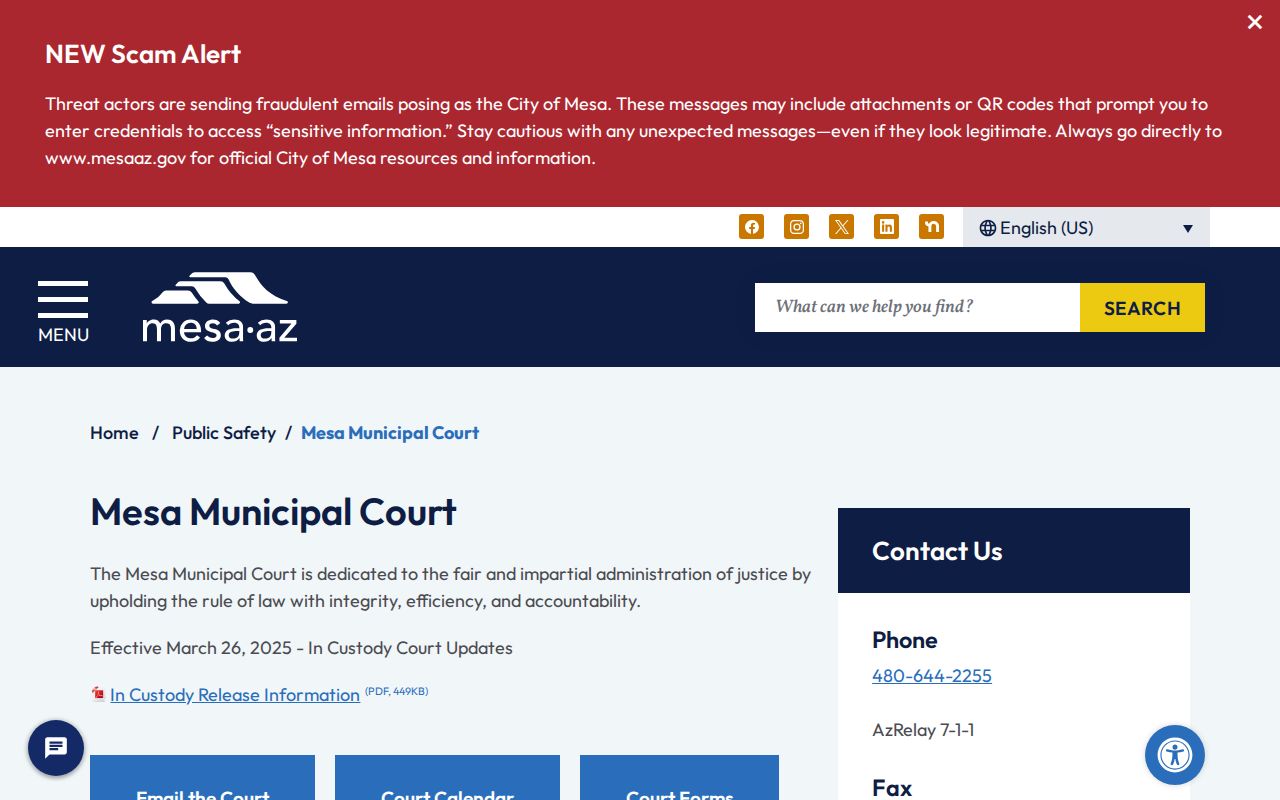
Before trusting an older notice, verify current contact and service details on the city court page. That is the safest check.
Leading Zeros in Mesa Court Records
Mesa's search instructions specifically preserve a leading zero on complaint and parking notice numbers. A complaint number runs six or seven digits. A parking notice runs five to seven. Drop the first zero and you may get no result at all, even though the Mesa record exists.
Keep the printed number intact. Enter the Mesa complaint or parking notice with its leading zero and pair it with the offense date.
Case numbers follow their own seven-to-ten-digit range. Still no luck? Check which kind of number the source actually prints, then rerun the matching Mesa eCourt mode. Never add digits or punctuation the court did not issue.
Finding Mesa Court Dates
The separate Mesa Court Calendar runs a name search and shows sortable Name, Date/Time, and Courtroom columns. When you want a future hearing, that city calendar beats a payment result. Confirm what you find, though, since a later court order can reset or vacate a setting.
| Name | The party name used to locate the Mesa calendar row. |
|---|---|
| Date and Time | The scheduled Mesa hearing date and local start time. |
| Courtroom | The Mesa room assigned to the setting. |
| Setting Type | The event purpose shown by the docket or court notice. |
| Status Check | The latest court contact or order used to confirm that the setting remains active. |
Sort the calendar by name, date, or room as needed. Two dates on one case? Read the Mesa docket and disposition history for a later reset entry, then ask court staff which event controls.
Mesa Calendar Results by Courtroom
The courtroom column separates people with similar names. It also points you to the right part of the Mesa Municipal Court. Sorting by date groups the day's settings. Sorting by name finds a known party. Take the row at face value only. A calendar view cannot prove anything beyond what it prints.
The official Mesa calendar search presents the city's hearing listings.
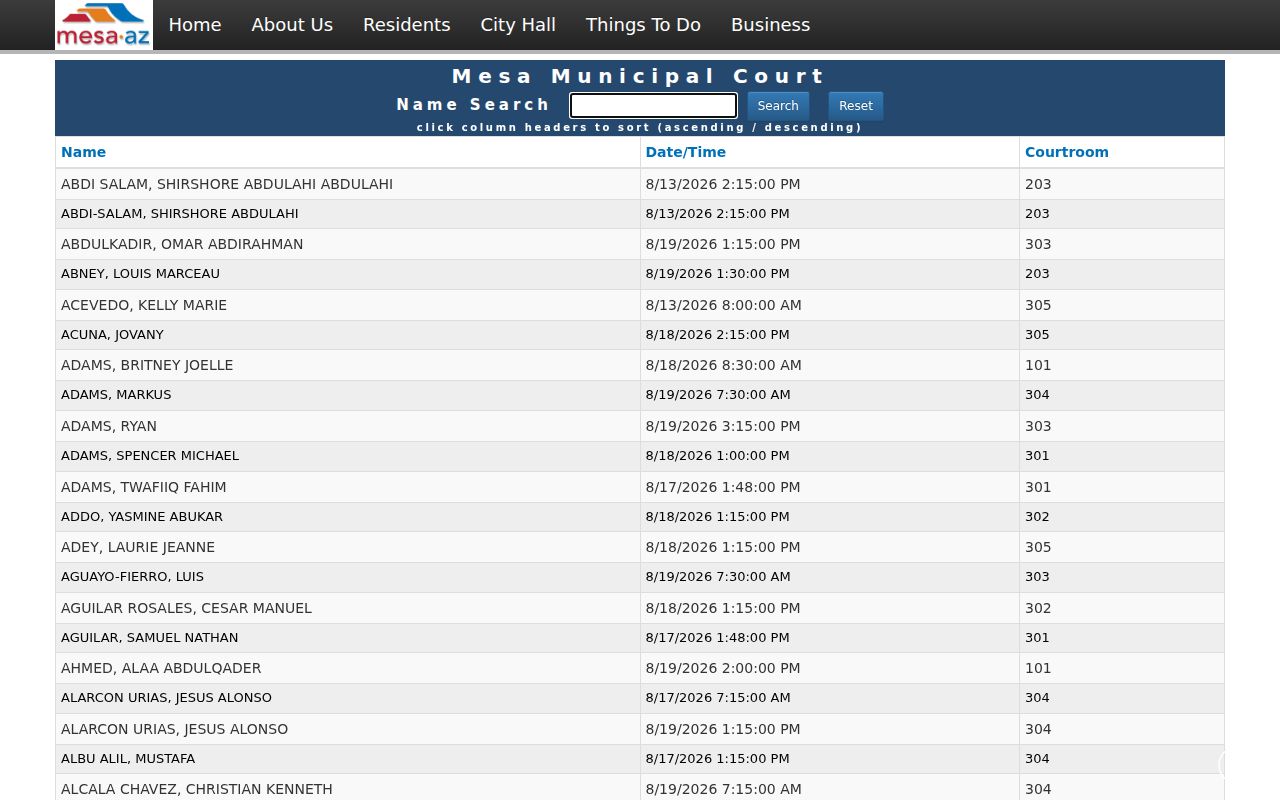
Those limited fields make a fine date check, while the docket and Mesa court staff supply the wider context.
If a Mesa setting has moved, keep the old notice but follow the newest court order. A calendar row does not grant a remote appearance. Participation instructions come from the court alone.
Mesa Traffic Ticket Lookups
Mesa eCourt is where the city lets you search a ticket. Pull up the record with a name and date of birth or a case number. A complaint number paired with the offense date also works. So does a parking notice with its offense date or a report number. Check the citation first. If it names Mesa Municipal Court, the city search works. A ticket from a county officer may sit in a Maricopa County Justice Court docket instead.
The court lists Pay Your Ticket and Search for Ticket as separate choices. Paying resolves an eligible charge. But it does not show that every event or obligation is done. Some people must request a hearing or take another route the Mesa court offers before the appearance date. For the countywide picture, see Maricopa County Traffic Court.
| Goal | Mesa Channel | Key Limit |
|---|---|---|
| Find citation | Search for Ticket | Use the correct identifier type |
| Check hearing | Check a Court Date or calendar | Confirm later changes |
| Pay eligible charge | Pay Your Ticket | Nightly outage applies |
| See outcome | Disposition Report | Historical report is not every filed image |
Mesa Court Records Can Lag
Mesa cautions that eCourt results can lag by 15 minutes. A filing, payment, or status change made a moment ago may simply not show yet. Wait out the stated window. Then run the search again before concluding a correct number is wrong.
Plan around the payment outage too. Online payments are unavailable from 9 p.m. to 1 a.m. Arizona time, a four-hour block that touches the payment channel rather than the court record itself. With a deadline close, contact Mesa Municipal Court through an official channel. Never assume the case vanished.
Mesa Court Disposition Reports
For history, turn to the Mesa Disposition Report. It is the better eCourt pick when you want to know how a municipal case ended. It shows more than whether a balance is payable online. Read it alongside the case number and charge details. Mixing separate matters is easy to do without them.
If a report will not generate, email the problem to courtinfo@mesaaz.gov. Need an official copy or something beyond the online report? Contact the Municipal Court with a scoped request. Name the case, the exact document or disposition, and a date range when known. Arizona retention schedules and access rules still govern what is public.
- Disposition
- The recorded outcome or status resolving a charge or case.
- Docket entry
- A dated index line for a filing, order, event, or setting.
- Certified copy
- A copy issued with the court custodian’s formal certification.
Mesa Municipal and County Courts Differ
Mesa Municipal Court and the Southeast Justice Center are not the same shop. The city court handles Mesa traffic, parking, misdemeanor, and code matters. The Southeast Justice Center at 222 E. Javelina Avenue serves regional Superior Court work. That includes Family and related functions, all inside the Maricopa County court structure.
A Mesa address alone tells you nothing about the right docket. What decides it is the issuing agency, the violation location, and the case type. City police and code cases usually land in Mesa Municipal Court. Felonies and general-jurisdiction matters go to Superior Court. County limited-jurisdiction cases may sit in a Justice Court precinct.
When the case rises above the city tier, use the Maricopa County court docket instead. Forcing county detail into Mesa eCourt just because the event happened in Mesa leads nowhere.
How Mesa Cases Reach the County
The original limited-jurisdiction record stays with Mesa Municipal Court. Filing an appeal opens new activity in Maricopa Superior Court, yet the Mesa file remains a city court record. Felonies and county-level civil matters start outside the Municipal Court, so search them at the county level from day one.
Docket flow: Mesa Municipal Court › Maricopa County Courts › Superior Court of Arizona in Maricopa County
Further state review can move to the Arizona Court of Appeals, Division One where jurisdiction allows. Track each stage by its own case number. A city number never grows into a full Superior Court history without a separate appeal record.
Who Can See Mesa Court Records
Arizona court-record rules govern who may see open Mesa judicial records. Arizona Supreme Court Rule 123 sets the access terms. It permits limits for privacy, confidentiality, security, and other protected interests. Remote access can be narrower than what a counter request returns. Sealed files, juvenile matters, protection orders, and victim or witness material may stay out of public view.
Key Mesa access rules:
Arizona Supreme Court Rule 123 governs public access to judicial records and permits lawful restrictions.
ACJA § 1-604 governs remote electronic access, which may expose less than courthouse access.
A.R.S. § 8-208 limits access to juvenile court and related records.
To get Mesa documents, ask Mesa Municipal Court directly by phone, email, at the counter, or through its Rule 123 request process. Confirm fees and delivery terms with the city court before you submit. Statewide Public Access helps you find a case, but it is not the official Mesa file.