
Maricopa County Court Schedule Sources
A calendar row is only one piece of a Maricopa County court record. The docket gives you the event history. The judicial directory tells you which division has the case. When these tools disagree, Maricopa County court staff can confirm which setting controls.
Each source answers a different question. Use the date-range calendar to find the scheduled row. Use the docket to catch later resets or orders. Call the division phone directly when attendance or remote participation matters.
How the Maricopa County Court Calendar Works
The Superior Court Docket Calendar is the main date-range tool. It serves the Superior Court of Arizona in Maricopa County. It covers civil, criminal, family, and probate matters. Enter a start date and choose one day or one week of settings. It does not include case information or minute entries, and that split matters. The case record explains why a setting exists. A calendar row shows when and where it now sits.
The court also publishes Today's Hearings. That tool takes a case number or a first or last name. Results can show the building, floor, room, local time, case number, and hearing mode. The page refreshes every two minutes. Even so, the court warns that calendars change and never capture every judicial activity. A signed order or current minute entry may carry more context than a single row.
Maricopa One-Day and One-Week Calendars
The Maricopa County court schedule tools are simple but narrow. The date-range calendar wants a month, day, and year, plus a one-day or one-week length. Know the exact date? Choose one day. A one-week search helps when a notice names only an approximate week. It also helps when a setting may have moved. Category links split the civil, criminal, family, and probate calendars into separate paths.
| Calendar Control | Use | Maricopa Detail |
|---|---|---|
| Start date | Sets the first day shown | Month, day, and year are required |
| Length | Sets the result span | Choose One Day or One Week |
| Case category | Narrows the calendar | Civil, Criminal, Family, or Probate |
| Case or party search | Checks current hearings | Use Today’s Hearings as a second view |
Read the two systems together when a date truly matters. The range view locates the setting. The current-hearings view verifies its room and hearing mode on the day itself. Neither replaces the assigned division when a new order has just issued.
Maricopa County Court Date Lookups
Every access channel has its own job. Superior Court dates can be checked online. The case docket, phone, a Clerk or court counter, or the assigned division also work. Arizona Public Access helps identify a participating court. But its weekly data is not a live calendar. Justice Court and Municipal Court dates stay with the court named on your citation or notice.
- Identify the court from the case number, notice, citation, or prior order. Do not start with the county calendar if the file belongs to a Justice or Municipal Court.
- Search the local Superior Court docket by full case number when possible. Read the latest minute entry and the newest future setting.
- Open the date-range calendar, then check Today’s Hearings on the hearing date. Compare date, time, building, floor, room, and mode.
- Use Arizona Public Access to locate a participating lower court when the issuing court is unclear. Its results refresh weekly.
- Call the assigned judicial division or the Superior Court Information Center at 602-506-3204 when the date is absent or conflicting. A court counter and posted daily information are in-person fallbacks.
- Ask counsel for a party participation link. A public livestream is only for viewing and does not admit a party to CourtConnect.
A mailed notice or printed calendar proves only what was once set. Check it against newer docket activity. For a broader case lookup, the county's Docket Search explains the local and statewide search layers.
Maricopa Building Codes on Court Calendars
A Maricopa County court schedule may use a short building code. It does this rather than a full street address. Common codes include CCB for Central Court Building. SCT stands for South Court Tower, ECB for East Court Building, and OCH for Old Courthouse. Regional assignments can also send a matter to the Southeast facility in Mesa or to the northeast and northwest centers. Read the row's floor and room together with the code.
The official court locations directory links each building to its departments. Central Court Building handles Criminal and Family work. South Court Tower concentrates Criminal Court and jury functions. East Court Building hosts Civil and Probate or Mental Health matters. Departments do move, and judicial officers rotate. Trust the current directory over a saved address from an old notice.
For settings, the official calendar source lists the rows a docket search relies on.
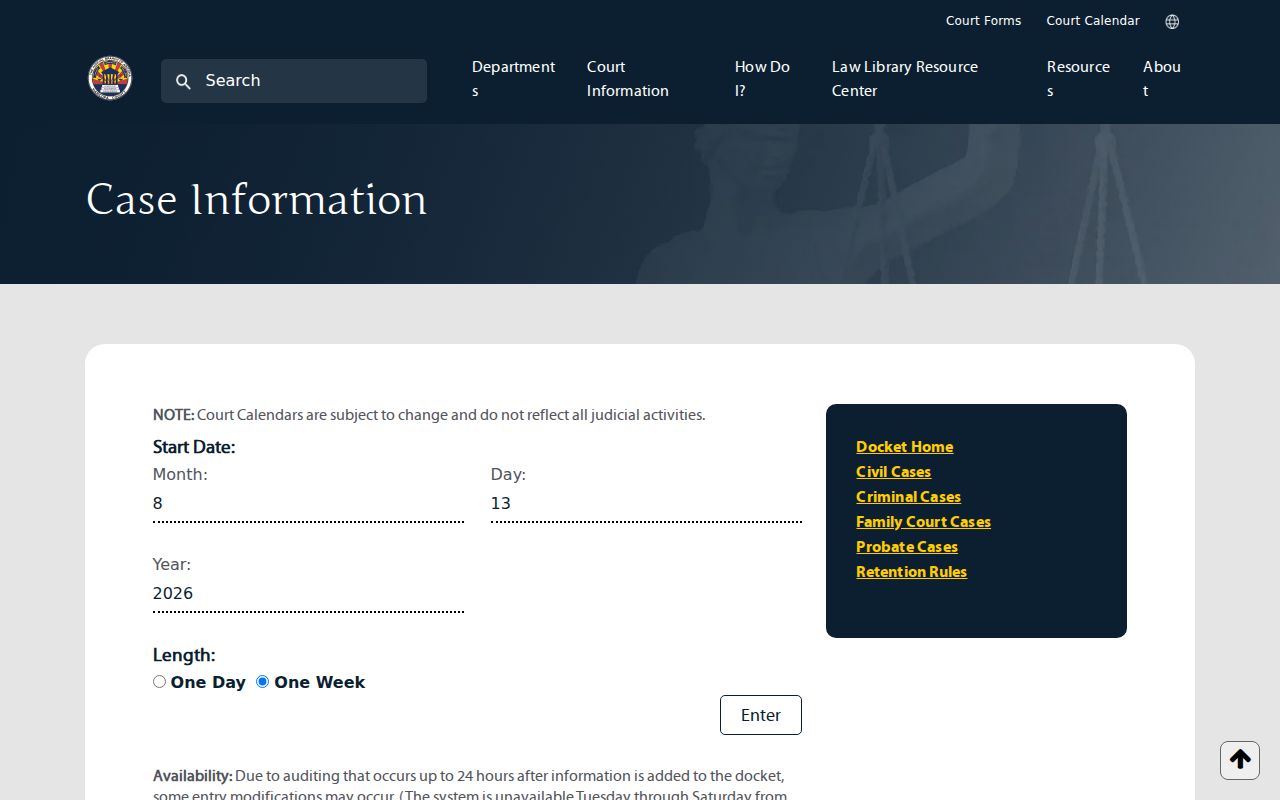
The date controls are minimal by design. That is why the calendar works best once you already know the court and the date range.
Court Settings: What Each Field Means
A court setting is a scheduled event, nothing more. It is not a promise that the case gets decided that day. Maricopa County calendars list arraignments, status conferences, oral arguments, settlement conferences, trials, sentencing, reviews, and other setting types. The title tells you the event's purpose. The rest of the row tells you where and when it is planned.
| Date | The scheduled day in Arizona local time. Compare it with the newest minute entry. |
|---|---|
| Time | The listed start time. Initial Appearance times follow a separate schedule. |
| Courtroom | The building abbreviation, floor, and room that identify the physical setting. |
| Judge | The assigned judicial officer or division, which may change after a rotation. |
| Setting Type | The event purpose, such as arraignment, conference, hearing, trial, sentencing, or review. |
| Mode | In person or an authorized livestream marker. A viewing stream is not a participation link. |
The Judicial Officer directory gives current department, courtroom, and direct office information. It helps most after the case docket shows a new judicial assignment.
This official directory view shows the assignment details a reader can confirm there.
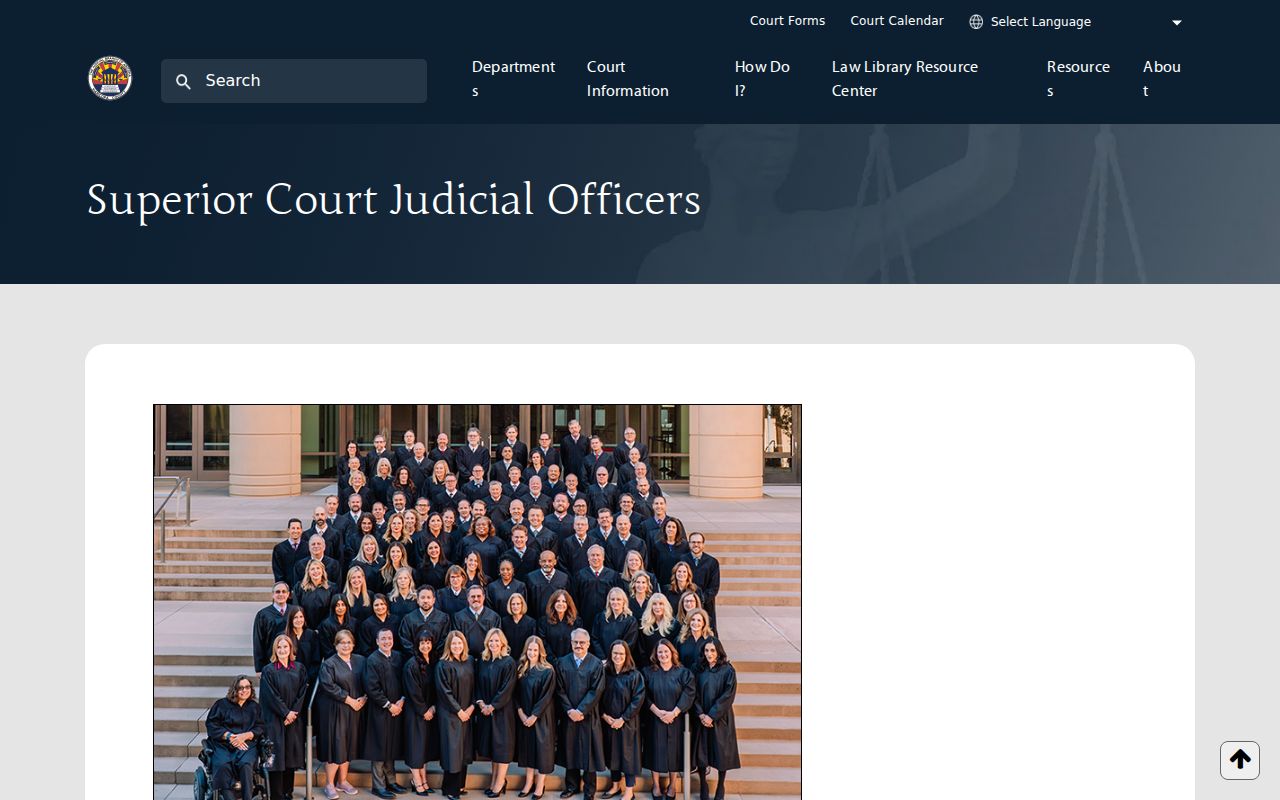
Matching the calendar row to the current division keeps you from calling or visiting the wrong courtroom.
Maricopa Livestreams and CourtConnect
Some Maricopa County court schedule entries carry a small livestream icon. It signals that the public can watch the hearing remotely. Watching is one thing; appearing is another. The icon gives no right to testify or argue by that same link, so anyone who must appear in CourtConnect should follow the instructions that counsel or the assigned judicial division provides.
| Remote Channel | Purpose | How to Obtain It |
|---|---|---|
| Public livestream | Observe a selected public hearing | Use the icon on the current hearing listing |
| CourtConnect | Participate when the court permits remote appearance | Obtain instructions from counsel or the division |
| Division telephone | Confirm mode, room, or a changed setting | Use the current judicial officer directory |
Arizona Supreme Court Rules 122 and 122.1, along with any case-specific orders, still control recording. Merely getting into a stream grants no permission to record or share it.
When a Court Date Moves
A continuance resets a hearing to a new day. The old setting stays in the case history. A later docket or minute entry usually lists the replacement date. A vacated setting, by contrast, is simply canceled. When two future dates show up on the Maricopa County docket, compare their setting types. Read every later order touching either one. One case can hold several distinct hearings. So the newest date is not automatically the controlling one. Calendar rows can also lag behind a new order. The county cautions that docket auditing may change entries for up to 24 hours. A hearing reset close to its start time calls for a quick call. Contact the assigned division then. And never assume a missing row means the case was dismissed.
- Continuance
- An order moving a proceeding to a later date.
- Reset
- A new placement of a setting on the calendar.
- Vacated
- A canceled setting that should not be treated as upcoming.
- Minute entry
- The judicial record that may state what changed and what date now controls.
Maricopa Initial Appearance Calendars
Initial Appearance calendars work differently in Maricopa County. Hearings run every single day at 2, 5, 8, and 11. Times appear in both the morning and the evening. That is eight time slots across the day. The ordinary Today’s Hearings search leaves them out on purpose. So an absence there is a search limit, not evidence that no appearance is scheduled.
Custody hearings can shift with little warning. Check the assigned criminal court channel for current status. Juvenile livestreams are gone, and the court itself points observers to in-court attendance instead.
Maricopa Judicial Rotations and Settings
Maricopa Superior Court rotates judicial officers across its Criminal, Civil, Probate, Juvenile, and Family departments. A judge name saved from an earlier docket search can go stale. That happens even when the case number never changes. For the current calendar, trust the live docket’s judicial assignment and the officer directory. The court’s 2024 judicial-rotations report explains why the court moves judges between departments and what the shifts are meant to achieve.

Rotation is a practical reason to verify the current division before you call or appear. An old remote link can point somewhere useless.
Missed Settings and What Comes Next
Missed a Maricopa County court setting? Act right away. Scan the newest docket entries for an order. Then phone the assigned division or the clerk for the court of record. If a lawyer is on the case, contact counsel too. What comes next depends on the case type and on what the judicial officer ordered.
Missed a Setting? A missed date can lead to a failure-to-appear finding, warrant, bond action, default, or other case-specific consequence.
Contact the court of record and counsel promptly, confirm the current docket status, and ask what authorized step is required.
Do not simply appear at a courtroom or pay through a portal without checking the court’s order.
Justice or Municipal Court case? Call that lower court, not the Superior Court Clerk. Superior Court matters go through the assigned division listed in current case information. Only the court can say what controls now.